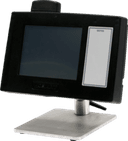
 Hobart
EPCP-5HTx
ACCESS EPCP PREPACK CONSOLEHobart EPCP-5HTx Prepack Console Scale
The Hobart EPCP-5HTx is an HT Access prepack console for meat-room or produce back-room weighing and label work. Its touch-screen system stores product and merchandising information and supports manual or configured automatic operating modes.
- Voltage
- 120 V
- Phase
- 1 phase
Hobart EPCP-5HTx
39 compatible parts available
Genuine OEM Parts
Sourced from the manufacturer
Canadian Owned
Based in British Columbia
Canada-Wide Shipping
Every province and territory
24hr Quote Response
Answered by a real technician
Manuals & Documents
About the Hobart EPCP-5HTx
Overview
The Hobart EPCP-5HTx is identified in the HT Access System operator manual as model ML-44244. Hobart describes the HT Access System as a meat-room or produce back-room scale with merchandising capabilities, including multiple fonts, graphics and label types. Operator information is presented on touch screens, and the system can store information for thousands of products.
Product records can include PLU number, UPC number, pricing, tare and shelf life. The system can also hold consumer-facing content such as nutrition facts, safe-handling information, expanded text, health tips, meal planners, recipes, cooking instructions and merchandising graphics. The manual covers the EPCP-5HTx alongside the EPCP-5HTi and EPCP-5HTs; the model identified here is the EPCP-5HTx.
Key Features
- Touch-screen operator interface: Three operator screens provide access to scale features and can display product information, configured keypad and dynamic content, and other operator information.
- Product and merchandising data: Records may contain retail handling data and consumer information, including product pricing, tare, shelf life, nutrition facts and graphics.
- Operator alerts: The screen alert area can report product recalls, printer issues, planogram messages and network connectivity status. A printer alert may indicate, for example, that the label cassette is open or the printer is out of labels.
- Label operation modes: Depending on setup, the system can print labels automatically, or, when attached to an automatic wrapper, support automatic wrapping and label printing and application.
Specifications
- Product: Hobart ACCESS EPCP PREPACK CONSOLE.
- Model: EPCP-5HTx.
- Manual model identifier: ML-44244.
- System: HT Access System.
- Operating temperature range: 14°F to 104°F (-10°C to 40°C).
- Electrical supply: 120 V, 60 Hz, 1 phase, 2-wire plus ground.
- Power connection: A power cord connects to the back of the printer.
- Communications connections: Two Type A USB 2.0 ports and an RJ-45 jack for Ethernet (TCP/IP).
- Operator interface: Three touch-screen operator screens.
- Weight verification increment referenced in the manual: 0.005 lb. Packages near the middle of this increment may vary up or down by 0.005 lb when weighed repeatedly.
Installation & Requirements
The manual states that the system should be installed or moved only by a qualified Hobart Service Technician. The specified electrical supply is 120 V, 60 Hz, single-phase, with two wires plus ground. The supplied power cord connects to the rear of the printer. The manual also identifies two Type A USB 2.0 ports and an RJ-45 Ethernet connection for TCP/IP communications. It does not provide a clearance, gas or ventilation requirement for this model in the supplied information.
Operation
Operator screens and system information
The three operator screens are navigated using the screen-view icon or by touching and swiping across the screen. A configured home screen can be either the left or center screen. The fixed screen features include Home and Menu icons, scale capacity information, a zero indicator, screen location, alert area, operator name when login is required, and date and time. Supervisors can configure some display elements, including the location of the information bar and Home and Menu icons.
The left screen includes an area for dynamic content that can be configured by the scale supervisor. The center screen can show product information, a numeric keypad if configured, run totals if configured, operation mode settings and dynamic content. The manual also describes the right operator screen as part of the three-screen interface. Network status may appear as a hard-wired connection icon or as wireless signal bars; if connectivity is lost, the scale application background and network icon turn red and flash. Touching the network area can show details when that function is enabled.
Product processing and label modes
The Operation Mode feature can be configured for manual or automatic operation. The manual notes that additional automatic modes are available when the system is attached to an automatic wrapper. In the automatic wrap, print and apply setup, the operator selects Apply, Wrap and Label so the buttons are green. With a product placed on the wrapper scale, the product runs through the wrapper; once the scale senses a stable weight, a label is printed and applied as the product emerges.
For automatic label printing without wrapping or application, the Label button is set green and Apply and Wrap are set red. The system prints a label after sensing a stable weight. The operator removes the label from the printer and applies it to the product. These functions depend on the system configuration and wrapper connection; the manual does not establish that a wrapper is included with the EPCP-5HTx.
Before relying on package labels, routinely check the printed label information, confirm price-per-pound multiplied by weight, and compare the scale weight with the printed label weight. The manual recommends weighing the same package several times to check consistency. It states that a variation greater than 0.005 lb indicates a need for weigher adjustment; contact a local Hobart representative in that case or when adjustment is otherwise necessary.
Cleaning & Maintenance
Removing and loading labels
To load a new roll, remove labels from the first 12 inches to make a leader. Lower the printhead using its positioning lever, then release and lower the label door. Place the roll on the hub with the leader feeding from the bottom of the roll in a clockwise direction. Remove the take-up spool key, route the leader under the black label guide, around the roller and take-up spool, then refit the key so it catches the leader. Take up slack and align the leader on the spool. Close the front label door, raise the printhead and close the printer label-access door. The printer advances the labels into the ready position.
Set the label size plate in the slots for the label size being used and move the hub lever to the matching slot. If the label size changes, the printer settings must also be adjusted. When removing a roll, the manual directs operators to lower the label door, remove the take-up spool key, and remove the backing paper from the take-up spool and the label roll from the hub.
Printhead and roller cleaning
Clean the printhead approximately once each week, or when residue obstructs labels; the manual also recommends cleaning the roller when installing a new roll. The Hobart Printhead Cleaning Kit is identified as part number 00-913096-00001. The manual says 70% isopropyl alcohol must be purchased locally. Do not use a metal tool on the printhead, since it could scratch or break it, and remove labels stuck to printer parts promptly.
For cleaning, lower the label door, remove labels and lower the printhead. Check for label stock and adhesive. Use the kit scraper to remove stuck label stock; gently use the kit eraser for burnt-on adhesive. Apply the kit cleaner with a swab and scrub until residue is removed, then clean the roller with cleaner and swabs. Allow the printhead and roller to dry before loading labels. The manual assigns printer-unit cleaning to the customer.
Troubleshooting
- No display: Check that the power switch on the back of the printer is on, the power cord is connected to a working outlet and the printer, and the display-unit power cord and USB cable are connected at both the printer and display unit.
- Operator ID not accepted: Confirm that the correct ID was entered. If it is correct, ask the supervisor to check the ID number.
- Product number not found: Verify that the product number is valid.
- System prompts the operator to take a label, but no label is present: Check whether part of a label is hidden in the label exit and clear the exit.
- Partial, unprinted label exposed: Check that the labels are threaded properly.
- Blank, partially printed or misaligned printing across labels: Check label threading. If the problem persists, clean the printhead and roller using the Hobart Printhead Cleaning Kit.
Applications
The manual identifies meat rooms and produce back rooms as intended settings for the HT Access System. Its product records and label content support weighing, price and tare handling, shelf-life information, and consumer-facing product details. Where connected and configured for an automatic wrapper, the system can also coordinate product wrapping with label printing and application.
Hobart EPCP-5HTx Specifications
- Voltage
- 120 V
- Phase
- 1 phase
- Model
- Hobart EPCP-5HTx
- Display
- Touch screen
- Product Type
- Meat room or produce back room scale
- Operator Screens
- Three
- Weight Increment
- 0.005 lb.
- Electrical Supply
- 120 V, 60 Hz, 1 phase (2-wire plus ground)
- FCC Classification
- Class A digital device
- Network Connection
- RJ-45 Ethernet connector (TCP/IP)
- Communication Ports
- Two Type A USB 2.0 ports
- Product Data Capacity
- Thousands of products
- Operating Temperature Range
- 14°F to 104°F (-10°C to 40°C)
Frequently Asked Questions
What is the Hobart EPCP-5HTx?+
What product information can the system store?+
What electrical supply does the manual specify?+
What communication connections are available?+
What is the system's operating temperature range?+
Can the EPCP-5HTx automatically wrap and label products?+
How often should the printhead be cleaned?+
What should I check if labels print blank or across multiple labels?+
Who should install or move the HT Access System?+
Need Parts for This Model?
Get a free quote for parts, service, or maintenance for the Hobart EPCP-5HTx. We respond within 24 hours.
 Hobart
View all Hobart equipment →
Parts for the Hobart EPCP-5HTx
Browse genuine OEM components, gaskets, heating elements, thermostats, and replacement hardware guaranteed to fit this equipment.
 Available to Order
Hobart 00-447688 BRACKET, CONSOLE
Available to OrderHobart 00-447721 BOARD ASSEMBLY., MEMORY, DDR3 1333
Available to OrderHobart 00-448243 SWITCH ASSEMBLY., SHUTDOWN
Available to OrderHobart 00-448019 SHIELD VENT OPENING
 Available to Order
Hobart 00-447030 CABLE ASSEMBLY, SPEAKER
 In Stock
Hobart 00-447167 Wire Harness/Cable, Touchscreen, 5 Wire
Available to OrderHobart 00-442708 HINGE FRONT LEFT
Available to OrderHobart 00-447319 BRACKET, POWER CORD
Available to OrderHobart 00-448323-00001 HARD DRIVE SATA DOM 32 GB PROG
Available to OrderHobart 00-447665 LABEL, WARNING, BATTERY TRILIN
Available to OrderHobart 00-447880 CABLE ASSEMBLY, POWER
 In Stock
Hobart WS-023-22 Washer, Stainless Steel
Available to OrderHobart 00-447029 CABLE ASSEMBLY, AUDIO
Available to OrderHobart 00-442709 HINGE, FRONT RIGHT
 Available to Order
Hobart 00-184336 LABEL, FCC VERIFIC
 In Stock 360°
Hobart 00-447167 Wire Harness/Cable, Touchscreen, 5 Wire
Available to OrderHobart 00-447872 CABLE ASSEMBLY., USB AF TO MINI BM
 Available to Order
Hobart 00-448275 BRACKET ASSEMBLY.
Available to OrderHobart 00-448237 SUPPLY, POWER, 2 X 4, 60W, 24V
 Available to Order
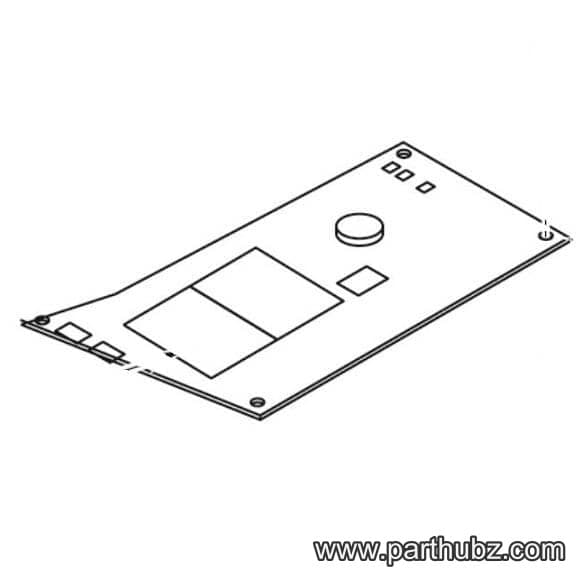
Hobart 00-447159 BOARD, ASSEMBLY, ATOM
 In Stock 360°
Hobart SC-110-31 Screw, Hex Head, 10-24 x 3/4"
 In Stock 360°
Hobart 00-447157 Display/Touchscreen, 10.1", WVGA LED
 Available to Order
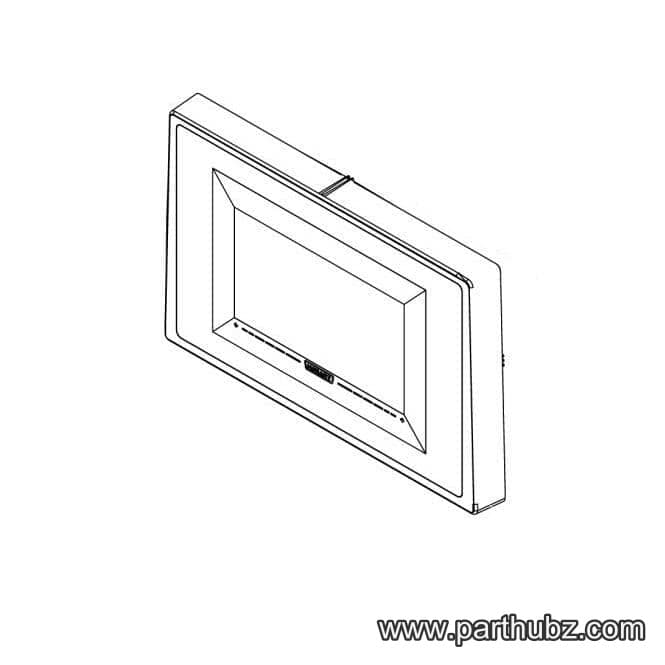
Hobart 00-447970 HOUSING ASSEMBLY., FRONT
Available to Order