

 Image not available
 Hobart
HAB500
Bread SlicerHobart HAB500 Bread Slicer
The Hobart HAB500 is a floor-model bread slicer with a factory-set slice thickness, adjustable loaf-pusher pressure and a 120 V single-phase motor. Four swivelling casters, including two front locking casters, allow it to be moved into position.
- Voltage
- 120 Volt
- Phase
- 1 Phase
- Plug Type
- Three-prong grounding type plug
Hobart HAB500
123 compatible parts available
Genuine OEM Parts
Sourced from the manufacturer
Canadian Owned
Based in British Columbia
Canada-Wide Shipping
Every province and territory
24hr Quote Response
Answered by a real technician
Manuals & Documents
About the Hobart HAB500
Overview
The Hobart HAB500 AroMatic bread slicer is a floor model for slicing a wide variety of breads. Hobart describes its slicing action as gentle and efficient, producing a high-quality sliced product. The HAB500 has a fixed slice thickness set at the factory, so operators do not adjust slice thickness at the controls. A loaf-pusher pressure control provides settings for different loaf textures.
The machine has four swivelling casters; the two front casters lock. Its slanted front table directs crumbs through a slot into a removable crumb drawer. The manual also identifies a bagging spade supplied with the machine for handling sliced loaves.
Key Features
- Factory-set slice thickness: Slice thickness is fixed at the factory.
- Adjustable loaf-pusher pressure: UP (+) and DOWN (–) controls change the pressure setting, shown by red indicator lights numbered 1 through 5.
- Floor-model mobility: Four swivelling casters support moving the slicer; the front pair have locks.
- Crumb collection: Crumbs pass through the slanted front table into the crumb drawer.
- Bagging spade: The spade is shipped in the crumb drawer and attaches to the top of the machine.
- Safety and operating controls: The controls include a green START Reset switch, a red EMERGENCY STOP switch and a photoelectric cell in the load area.
Specifications
- Manufacturer and model: Hobart HAB500 AroMatic bread slicer.
- Equipment type: Floor-model bread slicer.
- Slice thickness: Fixed at the factory.
- Motor: Fractional-horsepower, single-phase motor.
- Electrical supply: 120 V, 60 Hz, single phase.
- Plug: Three-prong grounding-type plug; the connected outlet must be properly grounded.
- Casters: Four swivelling casters, with locking casters at the front and non-locking casters at the rear.
- Loaf-pusher pressure settings: Five indicated levels, shown by red lights numbered 1 through 5.
Installation & Requirements
Unpacking and assembly
After unpacking, inspect the slicer for shipping damage. If damage is found, save the packaging material and contact the carrier within 15 days of delivery. Before installation, check that the electrical service matches the specifications on the machine data plate. Remove the extra blades from the crumb drawer and store them safely. Keep the cleaning brush from the drawer for cleaning. Remove the casters from the drawer and clear any packing material from between the infeed pusher and blades.
To install the bagging spade, loosen the black knob-headed screw on the upper-left side of the machine. Insert the spade’s bottom fork into the slot above the screw, then retighten the screw.
Caster installation
The manual warns that the slicer must be blocked and stable before caster installation. After removing the shipping bolts from the crate, raise and block the machine at least five inches above the floor. Install the locking casters at the front and the non-locking casters at the rear. The caster bolt passes upward through the caster, frame and flat washer and is secured with a locknut above. A 5/16-inch or 8 mm hex Allen wrench is specified. Move the slicer to its operating location and lock the front casters by pressing down on the locking pedals. To release a lock, push back on the brake-release tab inside the pedal.
Electrical connection
The HAB500 plugs into a standard 120 V, 60 Hz, single-phase outlet. The manual specifies a three-prong grounding-type plug and requires a properly grounded outlet. If the receptacle is not the proper grounding type, the manual directs the operator to contact an electrician. Check the machine data plate to confirm that the electrical service agrees with the slicer’s specifications.
Operation
Controls and loaf pressure
Press the green START Reset switch to turn on power; its green indicator lights. Red lights show the latest loaf-pusher pressure setting. Press UP (+) or DOWN (–) to raise or lower pressure, with the selected level indicated by lights numbered 1 through 5. The manual recommends a lower setting of one or two lights for soft loaves. It states that firmer loaves need a higher pressure setting, but the available manual text does not specify an exact level for them.
Press START a second time to begin a slicing cycle. The red EMERGENCY STOP switch turns power off. The crumb drawer must be fully closed for the machine to operate. The manual also describes reloading only when the carriage is all the way to the rear. A Hobart Service Technician can adjust the pause between loaves.
Safe handling during slicing
Cool loaves to room temperature before slicing. Keep hands clear of moving parts, with particular care around the blade discharge area. When a loaf is almost sliced, take it from the front table with both hands, keeping clear of the moving blades. Place the sliced loaf on the bagging spade for bagging.
Cleaning & Maintenance
Before cleaning or servicing
Unplug the power cord before cleaning, servicing or removing parts. The manual warns that the blades are sharp and instructs operators to replace parts before using the machine again. Clean the cover and front and rear tables with a soft brush or a damp cloth moistened with soap and water. Rinse, avoid dripping water into the cabinet and polish with a clean, dry cloth.
Removable parts and blade cleaning
The bagging spade, pressing plate, loaf pusher, front and rear tables, and front flaps can be removed, cleaned and sanitized in a sink. The blade frames and blades can be cleaned and sanitized in place. To remove the bagging spade, loosen its black knob-headed screw and lift the spade out. To remove the pressing plate, pivot the holder-shaft cover, withdraw the holder shaft from its tube, then lift the plate lightly up and out from the rear.
For the loaf pusher, move the carriage to the extreme rear and loosen—but do not remove—the two knurled-headed screws holding the pusher to the carriage. Remove the pusher. To remove the rear table, loosen the three knurled-headed screws holding the top-rear cover, tilt the cover forward and pull the table straight back while keeping it flat; return the cover afterward. To access the front table, loosen the knurled-headed screw on each side of the front cover and tilt the cover up. Lift the front-table handles and pull the table straight out. Remove the front flaps by loosening the two knurled-headed screws under each side of the front cover and sliding each flap from its slotted holes.
To access the blade frames, remove the wing nut, lockwasher and dished flat plate from each frame strap, lift the straps from the threaded studs and tilt the frames as described in the manual. Clean and sanitize the rear and front blades with the supplied cleaning brush and a sanitizing product. Place a towel beneath the blades to catch drips. Remove, empty and clean the crumb drawer and the galvanized panel at its rear. Clean the crumb chute at the front of the machine with a cloth moistened with soap and water, then replace the drawer and rear panel and close the drawer completely.
Blade replacement and lubrication
Replacement blades are available from a Hobart Service Office. Unplug the machine before removing parts, and use care around the sharp blades. The manual says not to remove all blades at once: replace them one at a time. If replacing several, work in sequence from left to right or right to left. Loosen the blade’s tensioning screw with a 4 mm or 5/32-inch hex wrench, then use pliers to grasp the blade pin and remove the blade from its holders. Position the replacement blade correctly, gently tap it into place and tighten it to approximately the same tension as the adjacent blade. Do not overtighten; this can damage the frames. Replacing blades in sequence helps maintain even frame tension, keep the frames square and preserve blade alignment. The manual states that the slicer’s sealed and shielded bearings do not require periodic lubrication.
Troubleshooting
- Machine will not operate: Check that the crumb drawer is fully closed; the manual states the slicer will not operate unless it is.
- Carriage stops during a cycle: An obstruction of the electric eye in the load area can stop the machine. Clear the obstruction and follow the restart sequence for an interrupted cycle.
The manual’s troubleshooting section is identified in its contents, but the available text does not provide additional problem-and-correction entries.
Applications
The HAB500 is intended for slicing a wide variety of breads. The operator can choose a loaf-pusher pressure level to suit the bread: the manual specifically recommends one or two indicator lights for soft loaves. Cool loaves to room temperature before slicing, and use the bagging spade to handle sliced bread for bagging.
Hobart HAB500 Specifications
- Voltage
- 120 Volt
- Phase
- 1 Phase
- Plug Type
- Three-prong grounding type plug
- Model
- HAB500
- Motor
- Fractional horsepower, single phase
- Casters
- Four swiveling casters; front casters lock
- Product Type
- Bread slicer
- Mounting Type
- Floor model
- Slice Thickness
- Fixed; set from the factory
- Electrical Supply
- 120 Volt, 60 Hertz, 1 Phase
Frequently Asked Questions
What type of equipment is the Hobart HAB500?+
Can the HAB500 slice thickness be adjusted?+
What electrical connection does the HAB500 require?+
How many casters does the slicer have?+
How do I set loaf-pusher pressure?+
Does the crumb drawer need to be closed during operation?+
Which parts can be removed for cleaning?+
How should the blades be replaced?+
Do the bearings need periodic lubrication?+
Need Parts for This Model?
Get a free quote for parts, service, or maintenance for the Hobart HAB500. We respond within 24 hours.
 Hobart
View all Hobart equipment →
Parts for the Hobart HAB500
Browse genuine OEM components, gaskets, heating elements, thermostats, and replacement hardware guaranteed to fit this equipment.
 Available to Order
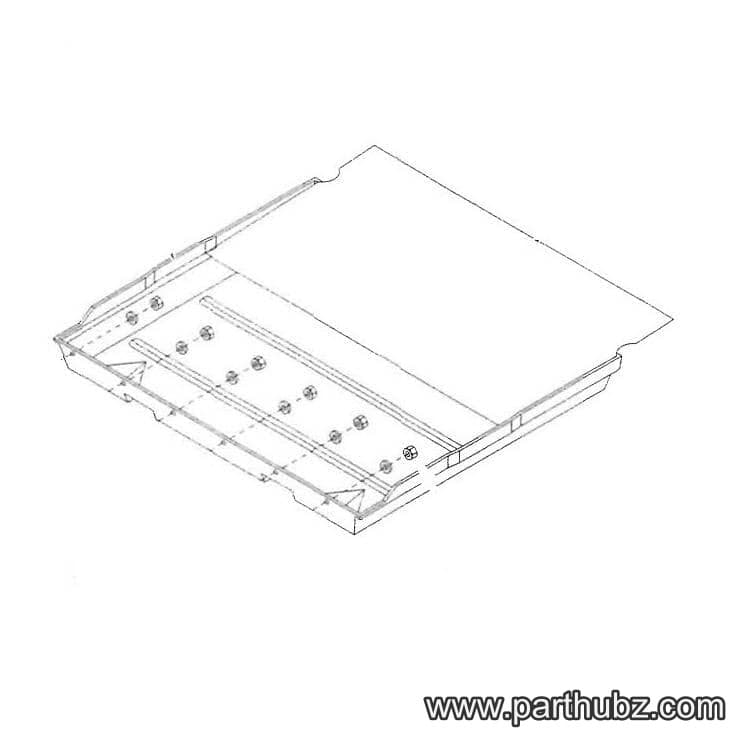
Hobart 00-479850 PANEL,DRAWER
 Available to Order
Hobart SC-117-48 SCREW,MACH,MET M6 X 1.0 X 12MM
Available to OrderHobart 00-479918 CHANNEL,WIRING
Available to OrderHobart 00-873070-00001 FRAME,FRONT
Available to OrderHobart 00-479856-00001 COVER,ELECTRICAL
Available to OrderHobart 00-479892-00001 BUSHING,8X2
Available to OrderHobart 00-873037-00002 WASHER,STARLOCK
Available to OrderHobart 00-479907-00001 COVER,REAR
Available to OrderHobart 00-873055 WASHER,NYLON
Available to OrderHobart 00-873081 LINK,LONG
Available to OrderHobart WS-030-32 WASHER
Available to OrderHobart 00-873074 SWITCH,STOP OPERATOR
Available to OrderHobart 00-087711-00314 SWITCH,LIMIT
Available to OrderHobart 00-479831 AXLE,OSCILLATING ASSY
Available to OrderHobart 00-088196-00031 RELAY,OVERLOAD
Available to OrderHobart 00-873263 TUBE,6X9X25
Available to OrderHobart 00-479978 BUSHING,NYLON
Available to OrderHobart 00-873032 BUSHING,AXLE
Available to OrderHobart SC-121-87 SCREW,CAP,MET M8X1
Available to OrderHobart 00-873076 AXLE,ACTUATOR
Available to OrderHobart 00-873021-00001 SCREW,KNURLED THUMB M6X10
 In Stock 360°
Hobart NS-047-34 Acorn Nut, M6 x 1
Available to OrderHobart 00-479906 PANEL,INTERIOR
Available to Order

