

 Image not available
 Baxter
MB100
Proofer/Holding Cabinet BaseBaxter MB100 Proofing and Holding Cabinet
The Baxter MB100 combines dough proofing and heated holding in an eight-pan cabinet. Digital controls adjust temperature and humidity independently, with stainless steel construction and casters for mobility.
- Voltage
- 120 V
- Phase
- 1
- Amps
- 15 A
- Plug Type
- NEMA 5-20P
Baxter MB100
26 compatible parts available
Genuine OEM Parts
Sourced from the manufacturer
Canadian Owned
Based in British Columbia
Canada-Wide Shipping
Every province and territory
24hr Quote Response
Answered by a real technician
Manuals & Documents
About the Baxter MB100
Overview
The Baxter MB100 is a proofer and holding cabinet base for bakery and foodservice operations. It holds eight standard 18" x 26" pans with 3" slide spacing and can be used to proof dough before baking or keep prepared product warm. The product catalog specifies use with one HCO100 Series oven and gives the base a 34" height for working with that oven above it.
Temperature and humidity are independently adjustable. During proofing, controlled warmth and humidity support yeast fermentation, which generates gas and causes dough to rise. In holding mode, the MB100 serves as a heated cabinet. Its digital controls display temperature, humidity and timer information.
Key Features
- Two operating functions: Use the MB100 as a proofer or as a holding cabinet.
- Eight-pan capacity: Holds eight 18" x 26" pans with 3" spacing.
- Independent settings: Temperature and humidity can be set independently.
- Air circulation: The manual describes continuous circulation from bottom to top to distribute warm, moist air throughout the cabinet.
- Construction: Stainless steel interior and exterior panels with urethane foam insulation.
- Digital controls: Separate temperature, humidity and timer displays, with controls for selecting settings and starting or stopping the timer.
- Mobility: The catalog lists 4" casters, two of which lock.
- Oven pairing: The catalog identifies the MB100 base for use with one HCO100 Series oven.
Specifications
- Manufacturer and model: Baxter MB100.
- Equipment type: Hybrid proofer/holding cabinet base; the manual also identifies the MB100 as a proofer/holding cabinet.
- Pan capacity: Eight pans.
- Pan size: 18" x 26".
- Pan spacing: 3".
- Proofer temperature range: The product catalog lists 90–110°F. The manual describes a typical proofing temperature of 95°F and says proofing temperature can take settings up to 115°F in the controller; it lists a 105°F default maximum parameter for proofing.
- Proofer humidity range: The product catalog lists 65–90% RH. The manual describes 85% as a typical proofing humidity and lists a default maximum proofing humidity parameter of 90%.
- Holding temperature range: 155–170°F in the product catalog.
- Holding humidity range: 15–35% RH in the product catalog.
- Height: 34" according to the product catalog.
- Casters: 4" casters; two locking, according to the product catalog.
- Construction: Stainless steel construction in the product catalog; the manual specifies stainless steel interior and exterior panels with urethane foam insulation.
- Electrical—product catalog: 120/60/1, listed as 15 amp, with a 20 amp circuit, 6' cord and NEMA 5-20P plug.
- Electrical—MB100 manual: 120 volts, 60 Hz, single phase, 13 amps, with a dedicated 20 A circuit breaker and outlet. The manual says a flexible supply cord has a three-prong grounding plug that must connect to a properly grounded three-prong receptacle.
- Water—MB100 manual: 1/4" NPT cold-water connection at 30–75 psi; recommended hardness 4–6 grains per gallon, pH 6.5–8.0, and chlorides below 30 ppm.
- Drain: The product catalog lists a 1/2" NPT drain routed to an air-gap drain. The MB100 manual specifies a 3/8" NPT drain connection and a minimum 1" air gap above the floor drain.
- Listed accessories: LEG-KIT converts the casters to stainless steel legs; HCO-BRIDGE is a slide bridge kit for smaller pans; MB100-COVER is a finished stainless steel top.
Utility note: The product catalog and MB100 manual give different electrical, water-quality, water-pressure and drain details. Check the specific unit’s documentation and connection information before installation rather than assuming the figures are interchangeable.
Installation & Requirements
The MB100 manual says installation must be performed by authorized Bakery Systems trained service technicians. The cabinet is supplied pre-assembled but requires qualified personnel to install it and make its connections. Install it with restraining means to prevent strain from being transmitted to the connector, and provide a means to limit appliance movement.
Electrical connection
The catalog calls for 120/60/1 power, a 20 amp circuit, a 6' cord and a NEMA 5-20P plug. The manual’s MB100 electrical data lists 120 volts, 60 Hz, single phase and 13 amps, with a dedicated 20 A circuit breaker and outlet. It requires applicable electrical and grounding connections to comply with relevant national and local electrical codes. Do not remove the grounding prong. If the receptacle is not the proper grounded type, the manual directs the user to contact an electrician. Because the catalog and manual electrical descriptions are not identical, check the specific unit documentation.
Water and drain
The catalog specifies a 1/4" NPT cold-water inlet at 30–70 psi and a 1/2" NPT drain. The manual specifies a 1/4" NPT incoming cold-water connection at 30–75 psi and a 3/8" NPT drain on the MB100. It says the proofer should have its own water supply line, separate from the oven. Route the manual’s drain line to a floor drain with a minimum 1" air gap between the drain outlet and the floor drain. Plumbing connections must comply with applicable sanitary, safety and plumbing codes and provide adequate backflow protection. The manual references the International Plumbing Code 2003 or Uniform Plumbing Code 2003, or applicable local requirements.
Water guidance also differs: the catalog recommends hardness of 2–4 grains per gallon and pH 7.0–8.0, while the manual gives 4–6 grains per gallon and pH 6.5–8.0. Both specify chloride levels below or up to 30 ppm. The manual warns that water outside its stated requirements may void the warranty. Confirm the correct specification for the particular unit before connecting it.
Operation
Proofing
Controlled temperature and humidity promote yeast fermentation. The manual says proofing typically takes 45–60 minutes, depending on the product, and gives 95°F and 85% humidity as typical settings that may vary by product. To dry-proof, set humidity to its lowest setting. The product catalog lists the proofer ranges as 90–110°F and 65–90% RH.
The temperature display shows the current or set temperature; its indicator lights during a heat cycle. The humidity display shows current or set humidity; its indicator lights when water is injected into the cabinet. The timer display shows the current or set timer, and its indicator flashes while a timer is running. The arrow control selects timer 1, 2 or 3, with an indicator showing the selected timer. The temperature and humidity buttons are used to adjust or set their respective values. The Timer Start/Stop button selects timer operation and starts or stops it.
Holding
The catalog lists holding settings of 155–170°F and 15–35% RH. The manual states that the MB100 can be used as a holding cabinet and that its controller must be set for holding mode to reach holding temperature. It identifies a service parameter for changing the controller’s temperature limit between proof/hold operation and proof-only operation. If the unit will not enter holding temperature, consult the troubleshooting information below.
When a timer reaches 00, the manual says the buzzer sounds and the control panel flashes. Press Timer Start/Stop to silence the alarm.
Shutdown
Remove all product and press Power On/Off; the displays will go dark. The fan continues to run for 15–20 minutes after power-off. The manual says to crack the doors during this period to help dry out the proofer for the MB300; it does not specify that instruction for the MB100. Clean the proofer after the fan stops.
Cleaning & Maintenance
For the interior, wash the stainless steel with a clean cloth moistened in warm, soapy water, rinse with clean water and dry with a clean cloth. Clean the exterior daily with a clean, damp cloth. Use care around sensitive interior parts such as probes and sensors.
Do not use cleaners containing grit, abrasive materials, bleach, harsh chemicals or chlorinated cleaners. Do not use steel wool on stainless steel. Never spray the proofer with water or steam, or clean it with a power washer. The manual advises testing new or improved cleaning formulas in an inconspicuous place before use.
Before maintenance, disconnect electrical power and follow lockout/tagout procedures. The manual directs users to contact an authorized service office for repairs or adjustments.
Troubleshooting
- Controller does not turn on after pressing Power On/Off: Check whether the unit is plugged into the outlet. If the control panel fuse is blown, contact an authorized service office.
- Temperature display flashes “00,” “Err” or “OUtP”: The manual identifies a sensor problem for each display and directs the user to contact an authorized service office.
- Keypad does not respond: The manual identifies a membrane problem; contact an authorized service office.
- Buzzer does not sound when the timer reaches zero: The manual identifies a buzzer problem; contact an authorized service office.
- Unit will not go to holding temperature: The manual says to check whether the unit is set for holding mode, including parameters P9 and P14, or contact an authorized service office.
The manual labels parameter setup as service-only. It describes service parameters for controller temperature limits, proofing temperature and humidity limits, display mode and MB100 sensor mode. Parameter changes should be handled as service work rather than routine operator settings.
Applications
Use the MB100 to proof prepared dough before baking, or switch to holding operation for product that needs to stay warm. Its eight-pan capacity suits bakery and foodservice workflows using 18" x 26" pans. The catalog lists the base for use beneath one HCO100 Series oven; the HCO-BRIDGE, LEG-KIT and MB100-COVER are listed as accessories for this unit.
Baxter MB100 Specifications
- Voltage
- 120 V
- Phase
- 1
- Amps
- 15 A
- Plug Type
- NEMA 5-20P
- Plug
- Three-prong grounding plug; NEMA 5-20P specified in catalog
- Current
- 15 A
- Controls
- Digital controls
- Pan size
- 18" x 26"
- Frequency
- 60 Hz
- Insulation
- Urethane foam
- Caster size
- 4" (10.2 cm)
- Pan spacing
- 3"
- Construction
- Stainless steel interior and exterior panels
- Pan capacity
- 8 pans
- Product type
- Hybrid proofer/holding cabinet base
- Water supply
- Cold water
- Drain routing
- Route to floor drain with a minimum 1" air gap
- Water pressure
- 30-75 psi
- Air circulation
- Continuous circulation from bottom to top
- Locking casters
- 2
- Drain connection
- 3/8" NPT
- Water connection
- 1/4" NPT
- Circuit requirement
- Dedicated 20 A circuit breaker and outlet
- Recommended water pH
- 6.5 to 8.0
- Chloride concentration
- Less than 30 PPM
- Compatible oven series
- HCO100 Series
- Proofer humidity range
- 65-90% RH
- Proofer temperature range
- 90-110°F
- Recommended water hardness
- 4 to 6 grains per gallon
- Holding cabinet humidity range
- 15-35% RH
- Holding cabinet temperature range
- 155-170°F
- Maximum proofing temperature setting
- 115°F (46°C)
Frequently Asked Questions
How many pans does the Baxter MB100 hold?+
Can the MB100 be used as both a proofer and a holding cabinet?+
What proofing settings does the manual recommend?+
What are the MB100's electrical requirements?+
What water supply does the MB100 need?+
What drain connection does the MB100 have?+
How should I clean the MB100?+
What should I check if the MB100 will not reach holding temperature?+
Does the MB100 have casters?+
Can the MB100 be installed beneath an oven?+
Need Parts for This Model?
Get a free quote for parts, service, or maintenance for the Baxter MB100. We respond within 24 hours.
 Baxter
View all Baxter equipment →
Parts for the Baxter MB100
Browse genuine OEM components, gaskets, heating elements, thermostats, and replacement hardware guaranteed to fit this equipment.
 In Stock 360°
Baxter 01-100V16-00674 Label, Circuit Board Fuse, 250 Vot, 1 Amp
 Available to Order
Baxter 01-1P2643-00002 SLIDE, PROOFER 8 PAN RH
Available to OrderBaxter 01-1P2698-00001 DEFLECTOR, AIR MB100
Available to OrderBaxter 01-1P2805-00005 HINGE, TOP WELDMENT
Available to OrderBaxter 01-1P2808-00104 PLATE, DAMPER
Available to OrderBaxter 01-1P2800-00313 BRACKET, RETAINER MB100/HCO
Available to OrderBaxter 01-1P2804-00101 SKIN, DOOR INNER
Available to OrderBaxter 01-1P2811-00103 GUARD, FAN
Available to OrderBaxter 01-1000V6-00324 SWITCH, HI LIMIT 180DEG
Available to OrderBaxter 01-1P2826-00001 KIT, COVER MB100
Available to OrderBaxter 01-1P2801-00101 SKIN, CONTROL CABINET
 Available to Order 360°
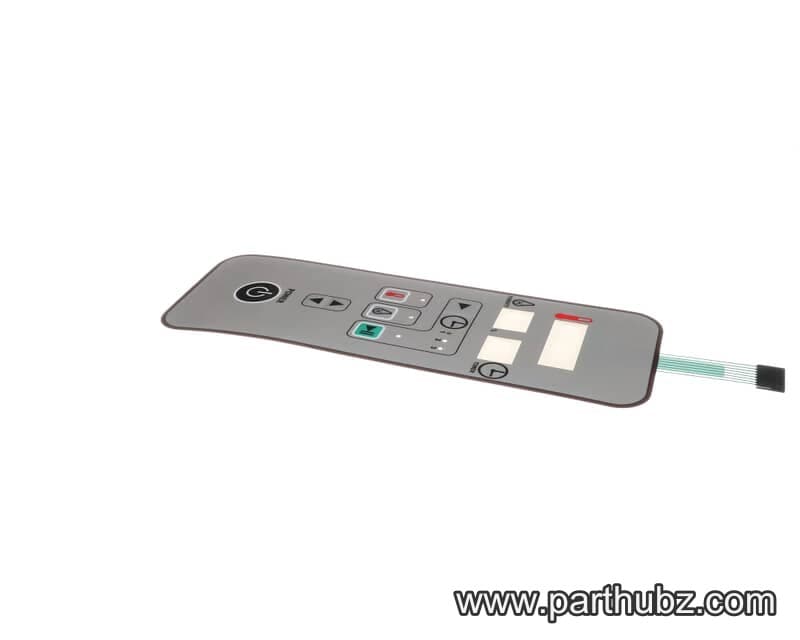
Baxter 01-100V16-00810 Overlay, Membrane, MB100/MB300
Available to OrderBaxter 01-1P2800-00310 COVER, ELEC PANEL RIGHT
Available to OrderBaxter 01-1P2809-00001 ARM, VENT-LID WELDMENT
Available to OrderBaxter 01-1P2643-00001 SLIDE, PROOFER 8 PAN LH
Available to OrderBaxter 01-1P2823-00001 KIT, STACKING MB100
Available to OrderBaxter 01-1P2811-00102 MOUNT, FAN MOTOR
Available to OrderBaxter 01-1M6319-00003 ACTUATOR,VENT 120V MOTOR MB100
Available to OrderBaxter 01-1P2800-00005 SPRAY, NOZZLE ASSEMBLY STEAMER
Available to OrderBaxter 01-1P2816-00001 RETAINER, PRESSURE PANEL
Available to OrderBaxter 01-1P2811-00101 HOUSING, FAN MOTOR
Available to OrderBaxter 01-1P2815-00001 RETAINER, PRESSURE PANEL
Available to OrderBaxter 01-1P2800-00309 COVER, ELEC PANEL LEFT
Available to Order

